Benefits of being a member
Free enrollment in extracurricular activities
Free enrollment in vacation schools
Discounts on 6th grade graduation
Discounts on activities
Priority access to events
Free tickets to the end-of-year festival
Become an AFA Member
To become a member you only need to register and pay the annual fee for the school year (September to August).
The fee covers one full school year, so it must be renewed every year. We will announce it on our website and social media when registration opens for the following school year.
Annual Fee
30€
1 student
45€
2 students
17€
per student (3 or more)
Sign up through the MiAMPA app

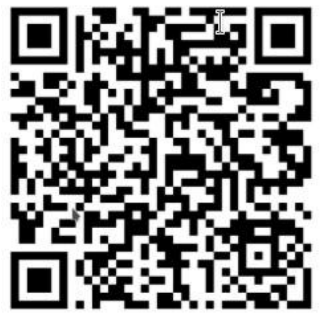
- Scan the QR code for your store or download the MiAMPA app. You can also sign up on the website, without installing the app.
- Enter the association code: 7BF0B
- Fill in the registration form.
Payment is handled through the MiAMPA app, which charges a 2% management fee on the amount.
How to become a member step by step
Become a member from your phone or computer in three easy steps.
Create your MiAMPA account
Go to the MiAMPA registration form —also available on the web, no app install needed— and fill in your details: email, password, ID and personal information. Then add your children as students.
Log in to MiAMPA
Once registered on MiAMPA, sign in with your email and password. You can also log in through the MiAMPA app with the same credentials.
Log in to MiAMPAPay the fee from your MiAMPA profile
Once inside MiAMPA, go to your profile and pay the annual membership fee securely. As soon as the payment is confirmed, you are part of the AFA!
How is the membership fee paid?
To pay the membership fee, the following conditions must be met:
The family must currently be in NOT A MEMBER status
A member family cannot pay the membership fee a second time. You can check this in the menu at the top right of the app.
The family must have already registered their children
The AMPA needs to know how many children each family has before allowing them to pay the membership fee.
The AMPA must not have maintenance mode enabled in the membership fees module
If maintenance mode is enabled, it is because the AMPA is not currently allowing membership fees to be paid.
Steps to make the payment
- Log in to the MiAMPA app or website.
- Open the side menu (the vertical three-dot icon).
- Select "Pay membership fee".
- Review the payment details: registered children and total amount due.
- Proceed to payment. This happens externally, through the payment gateway set up by MiAMPA.
If these conditions are met, the family will see on screen the information about their registered children, as well as the total amount to pay for the membership fee.
The AFA is all of us!
Don't just watch us, join us! Your fee makes all activities and services possible.
Have any questions?
If you have any questions about the process, contact us and we will help you as soon as possible.
Contact usNew to the school?
Join our WhatsApp welcome group to meet other families and get your first questions answered.
Join the group